Beyond Spreadsheets: Mastering Project Timelines with Dedicated Software
Project timeline software is essential for modern project management. Dedicated software offers superior collaboration, visualization, and automation compared to spreadsheets.
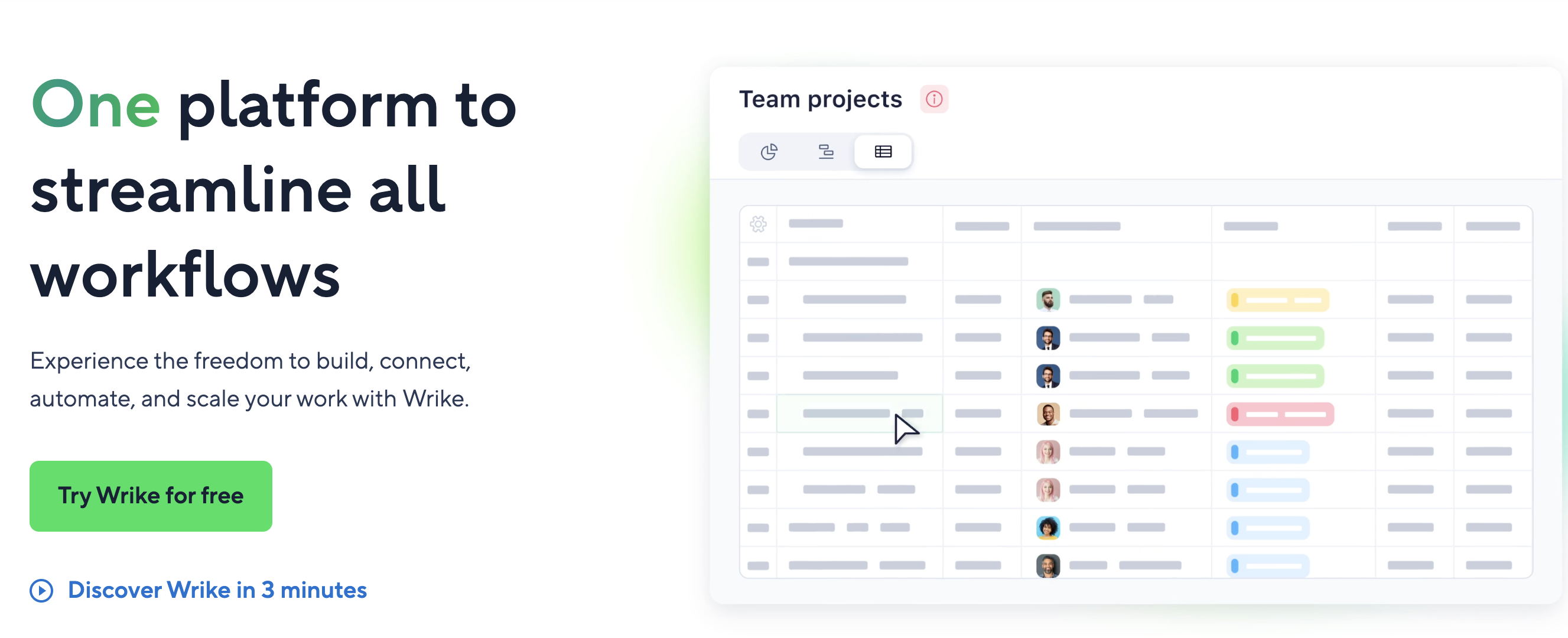
Ditching the Spreadsheet: Why Project Timeline Software is Essential
For project managers and teams, the ability to visualize, track, and manage project timelines effectively is paramount. While spreadsheets might seem like a readily available solution, they often fall short when it comes to complex projects requiring real-time collaboration and dynamic updates. Dedicated project timeline software offers a superior approach, providing a centralized platform designed to streamline workflows and enhance team productivity.
The Limitations of Spreadsheets for Project Management
Spreadsheets can become unwieldy and difficult to manage as projects grow in scope and complexity. Key issues include:
- Lack of Collaboration: Spreadsheets are not designed for real-time, multi-user collaboration, leading to version control issues and communication silos.
- Limited Visualization: Presenting complex timelines and dependencies in a spreadsheet format can be challenging, making it difficult to identify potential bottlenecks and critical paths.
- Manual Updates: Tracking progress and updating timelines manually in a spreadsheet is time-consuming and prone to errors.
- Reporting Limitations: Generating insightful reports and dashboards from spreadsheet data requires significant manual effort and technical expertise.
Key Features of Effective Project Timeline Software
The right project timeline software should offer a range of features designed to address the limitations of spreadsheets and empower teams to manage projects more effectively. Look for these essential capabilities:
Visual Project Planning
A visual interface, such as a Gantt chart or Kanban board, allows teams to easily map out project tasks, dependencies, and milestones. This visual representation provides a clear overview of the project timeline and helps identify potential issues early on.
Progress Tracking and Reporting
Real-time progress tracking is crucial for monitoring project status and identifying potential delays. The software should provide clear visual indicators of task completion, upcoming deadlines, and overall project health. Automated reporting features can generate insightful reports on project performance, resource allocation, and team productivity.
Collaboration and Communication
Effective communication and collaboration are essential for project success. The software should offer features such as task assignments, comment threads, file sharing, and notifications to keep team members informed and engaged. Integration with other communication tools, such as Slack or Microsoft Teams, can further streamline workflows.
Customizable Workflows and Automation
The ability to customize workflows and automate repetitive tasks can significantly improve efficiency. Look for software that allows you to define custom task statuses, set up automated notifications, and create recurring tasks.
Dashboard and Reporting
Personalized dashboards offer a clear overview of individual tasks, project progress, and key performance indicators (KPIs). These dashboards provide team members with the information they need to stay on track and make informed decisions. Reporting tools should allow you to generate custom reports on project performance, resource utilization, and other key metrics.
Choosing the Right Project Timeline Software
Selecting the right project timeline software depends on your specific needs and requirements. Consider factors such as team size, project complexity, budget, and integration needs. Some popular options include:
- Wrike: A comprehensive project management platform that offers robust timeline management, collaboration, and reporting features.
- Asana: A versatile project management tool with a focus on task management and team collaboration.
- Trello: A simple and visual project management tool based on the Kanban board methodology.
- Monday.com: A highly customizable work operating system that offers a range of project management features, including timeline visualization and automation.
- Smartsheet: Combines the familiar spreadsheet interface with project management features like Gantt charts and resource management.
By carefully evaluating your needs and exploring the available options, you can find the project timeline software that best empowers your team to achieve its goals.
Related Tools
Related Articles
Beyond Policy: How Wrike's 'Women of Wrike' Initiative Empowers Female Professionals
Wrike's 'Women of Wrike' (WoW) initiative is an employee-led program empowering female professionals through mentorship, workshops, and networking. WoW addresses challenges women face in career advancement, fostering a supportive environment and promoting equity within the company.
Bridging the Gap: Integrating Construction Project Management with QuickBooks for Financial Harmony
Integrating project management software with QuickBooks streamlines financial workflows, reduces errors, and enhances communication for construction teams. Key features to consider include job-level tracking, progress invoicing, and time-based labor cost allocation.
Wrike Streamlines Franchise Onboarding for Buzz Franchise Brands, Boosting Efficiency
Buzz Franchise Brands streamlined its franchise onboarding process using Wrike, transforming a fragmented, multi-platform system into efficient, centralized workflows. This resulted in significant time savings, improved task tracking, and enhanced visibility across teams, enabling the company to scale its franchise operations more effectively.