Gantt Charts: When to Upgrade from Templates to Dedicated Software
While Gantt chart templates provide a quick start for visualizing project timelines, their limitations become apparent as projects grow in complexity. Dedicated Gantt chart software offers real-time updates, automated scheduling, and enhanced collaboration features, making it a worthwhile investment for serious project teams.
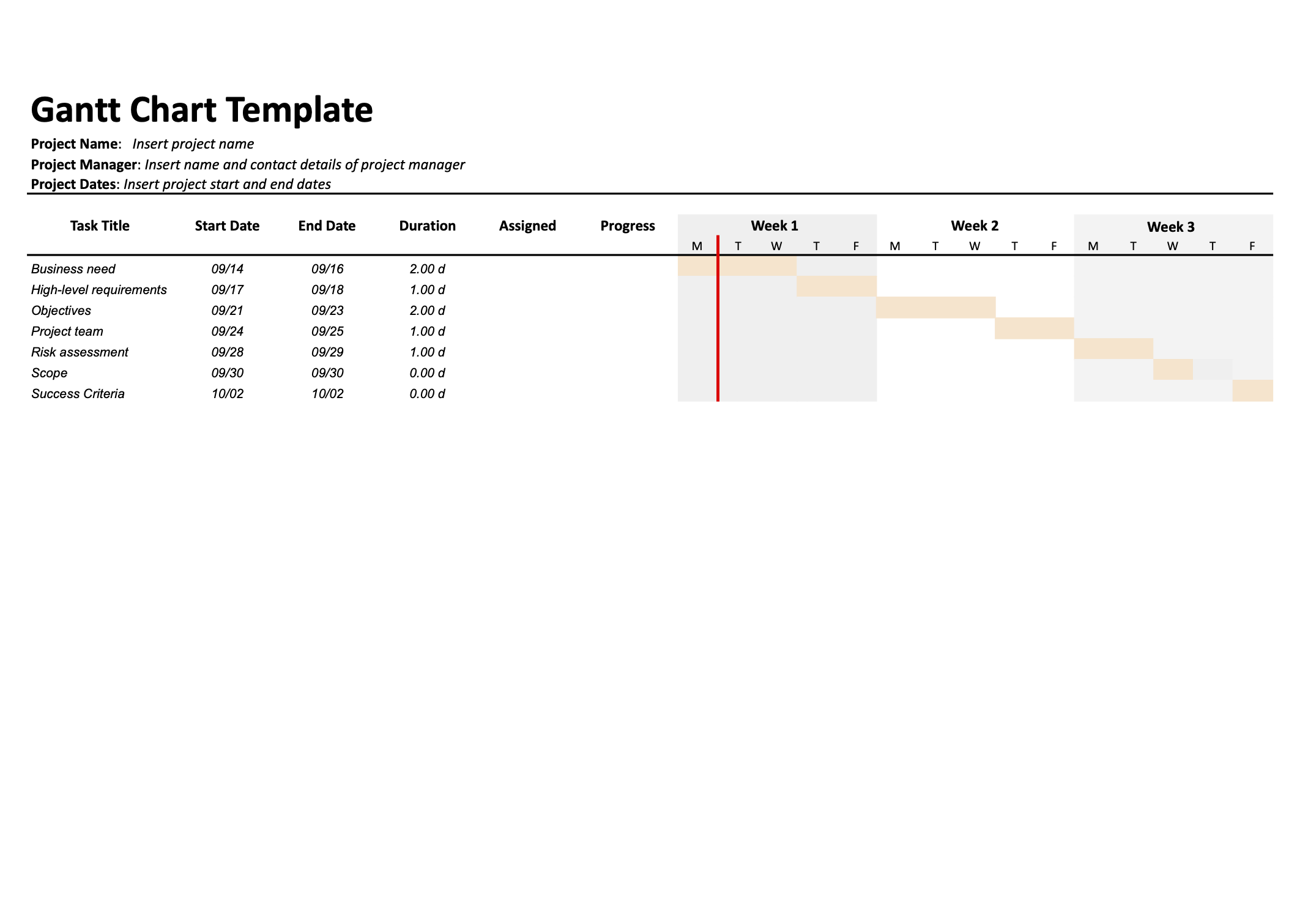
For project teams striving for peak efficiency, a well-defined schedule is paramount. It clarifies individual responsibilities, illustrates how tasks contribute to the overall objective, and emphasizes the critical path for seamless project progression. The Gantt chart, a visual representation of task durations and dependencies, has long been a popular tool for providing this comprehensive overview.
While readily available Gantt chart templates offer an accessible starting point, especially for smaller projects, it's crucial to understand their limitations. These templates, often built in spreadsheet software, can quickly become unwieldy as projects grow in complexity and require more sophisticated collaboration.
The Allure and Limitations of Gantt Chart Templates
Gantt chart templates provide a fast way to visualize tasks, timelines, and dependencies, eliminating the need to construct a project schedule from scratch. Using a template can help with:
- Allocating time to individual tasks and building a schedule
- Tracking progress for resource allocation
- Highlighting task dependencies and milestones
- Improving communication within the team
However, these benefits are most apparent in projects with a limited scope. As projects become more intricate, the shortcomings of templates become more pronounced.
The Drawbacks of Spreadsheet-Based Gantt Charts
The primary limitations of traditional, spreadsheet-based Gantt chart templates include:
- Manual Updates: Templates require manual adjustments to reflect changes in task status, deadlines, or dependencies. This can be time-consuming and prone to errors, especially with multiple stakeholders.
- Limited Automation: Unlike dedicated software, templates offer minimal automation for scheduling, task assignments, or progress tracking.
- Missing Features: Many templates lack essential features such as milestone tracking, critical path analysis, or resource management capabilities.
- Collaboration Challenges: Sharing and collaborating on spreadsheet-based templates can be cumbersome, leading to version control issues and communication breakdowns.
- Scalability Issues: Templates struggle to handle the increasing complexity and data volume of larger, long-term projects.
When to Transition to Gantt Chart Software
Teams should consider transitioning from templates to dedicated Gantt chart software when they experience the following challenges:
- Difficulty maintaining accuracy: When manual updates become overwhelming and the Gantt chart no longer reflects the true project status.
- Collaboration bottlenecks: When sharing and collaborating on the template becomes a source of friction.
- Lack of visibility: When the template fails to provide a clear overview of project progress, dependencies, and potential risks.
- Inability to scale: When the template struggles to accommodate the growing size and complexity of projects.
The Advantages of Gantt Chart Software
Gantt chart software offers several advantages over templates, including:
- Real-time Updates: Software solutions provide real-time updates on task status, deadlines, and dependencies, ensuring everyone is always on the same page.
- Automated Scheduling: Software can automate scheduling tasks, assigning resources, and adjusting timelines based on dependencies and constraints.
- Built-in Collaboration: Software platforms facilitate seamless collaboration with features such as task commenting, file sharing, and notifications.
- Integrated Task Management: Many Gantt chart software solutions include integrated task management features, such as task lists, kanban boards, and time tracking.
- Advanced Features: Software offers advanced features such as milestone tracking, critical path analysis, resource management, and reporting.
Choosing the Right Tool
Selecting the appropriate Gantt chart tool depends on a team's specific needs and project requirements. Consider factors such as project complexity, team size, collaboration needs, and budget. Some popular Gantt chart software options include Wrike, monday.com, Asana, and Smartsheet. Each offers a unique set of features and pricing plans.
Ultimately, the decision to transition from Gantt chart templates to dedicated software is an investment in project efficiency and success. By embracing the power of dynamic, collaborative software solutions, teams can unlock their full potential and achieve superior project outcomes.
Related Tools
Related Articles
Beyond Policy: How Wrike's 'Women of Wrike' Initiative Empowers Female Professionals
Wrike's 'Women of Wrike' (WoW) initiative is an employee-led program empowering female professionals through mentorship, workshops, and networking. WoW addresses challenges women face in career advancement, fostering a supportive environment and promoting equity within the company.
Bridging the Gap: Integrating Construction Project Management with QuickBooks for Financial Harmony
Integrating project management software with QuickBooks streamlines financial workflows, reduces errors, and enhances communication for construction teams. Key features to consider include job-level tracking, progress invoicing, and time-based labor cost allocation.
Wrike Streamlines Franchise Onboarding for Buzz Franchise Brands, Boosting Efficiency
Buzz Franchise Brands streamlined its franchise onboarding process using Wrike, transforming a fragmented, multi-platform system into efficient, centralized workflows. This resulted in significant time savings, improved task tracking, and enhanced visibility across teams, enabling the company to scale its franchise operations more effectively.